- Northland
- Auckland/Waikato
- Eastern
- Hawke's Bay
- Taranaki
- Wellington
- Nelson/Marlborough
- West Coast
-
North Canterbury
- Access Map North Canterbury
- Rakaia River
- Waimakariri River
- North Canterbury Lakes
- The Groynes Junior Fishing Lakes
- Close to Christchurch City
- Lake Coleridge & High Country Lakes Creel Surveys
- Hurunui River
- Waiau Uwha River
- New to Fishing in North Canterbury
- Fishing with Young Anglers
- Fishing Regulations
- North Canterbury Designated Waters
- Central South Island
-
Otago
- Access Map Otago
- Lake Wakatipu
- Boat fishing on Southern Lakes
- Lake Wānaka
- Lake Hāwea
- Lake Dunstan
- Gems of the Wakatipu Basin
- Upper Clutha River/Mata-au
- Lower Clutha River/Mata-au
- Upper Manorburn Dam
- Lake Onslow
- Poolburn Dam
- Waters of the Maniototo
- Dunedin Fishing Spots
- Half a day to fish from Dunedin: To the north
- Half a day to fish from Dunedin: To the south
- Fishing The Catlins
- Designated Waters Fisheries
- Controlled Fisheries
-
Southland
- Access Map Southland
- New to fishing in Southland?
- Junior Anglers & Junior Fisheries
- Mataura River
- Oreti River
- Waiau River
- Aparima River
- Southland Lakes
- Waituna Lagoon
- Fiordland
- Lowland Rivers & Streams
- Beat System: Upper Mataura River
- Beat System: Waikaia River Beat System
- Designated Waters Fishery: The upper Oreti River
- Controlled Fishery: The Clinton and Worsley Fisheries
- Controlled Fishery: The Ettrick Burn
- Donations, Legacies & Collaborative Projects
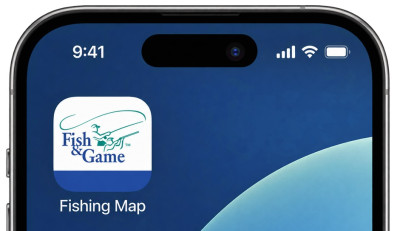
How to add the Fishing Access Map to your smartphone as a Progressive Web App:
| Apple – iPhone / iPad | Android |
| 1. Open the map full screen in Safari. | 1. Open the map full screen in Google Chrome. |
| 2. Tap the Share button. | 2. Tap the ⋮ menu in the top-right corner. |
| 3. Scroll down and tap Add to Home Screen. | 3. Tap Install app. |
| 4. Make sure Open as Web App is turned on. | 4. Tap Install to confirm. |
| 5. Select Add. | 5. The map will appear on your Home Screen or in your app list. |